Flawless Removal: The Best AI Video Watermark Erasers for Seedance 2.0
Tired of dealing with ugly watermarks on videos generated by AI tools? Here are two incredibly useful free techniques to flawlessly remove watermarks and download pristine original files!
Following my recent viral tutorial on how to use Seedance 2.0 for free, many creators mentioned how much this tool has sped up their video production. AI video generators like Seedance 2.0 and Doubao are truly game-changing—just input prompts or an image, and you get blockbuster-level shorts.
However, the "little annoyance" that comes with it is: The exported videos always carry large official watermarks or author logos.
Directly reposting these videos can hurt your engagement algorithms and look unprofessional. Today, I'm sharing two free, flawless watermark-removal tools and download tricks from my personal toolkit!
Trick 1: Pure Web-Based Smart Watermark Eraser (Recommended for Dynamic Content)
If you are using tools like Seedance or Sora that burn watermarks directly onto the frames, we need an AI-powered pixel repair platform for trace-less erasure.
Recommended Tool: Magic Eraser tool Link: magiceraser.org/zh/seedance-watermark-remover/
This is a totally free online platform that requires no registration and no downloads. It's specially optimized to handle watermarks from trending AI video generators. The video quality remains mostly lossless, without the typical weird mosaic distortion around the edges.
Execution Steps (4 Easy Steps)
- Upload: Open the URL, and simply drag and drop your watermarked video into the designated upload area.
- Select Target: In the pop-up player, use your mouse to highlight the watermark or timestamp. The AI will automatically detect the borders.
- Erase: Click "Remove" and wait for the cloud servers to re-render the frames.
- Download: Preview the results online. Once you confirm the details look pristine, simply download the cleaned original file!
Why I highly recommend it: Unlimited free uses, works for both images and videos, and it prioritizes privacy by strictly clearing uploaded data right after your session.
Trick 2: Bypass Browser Restrictions for Clean Downloads (Best for Doubao)
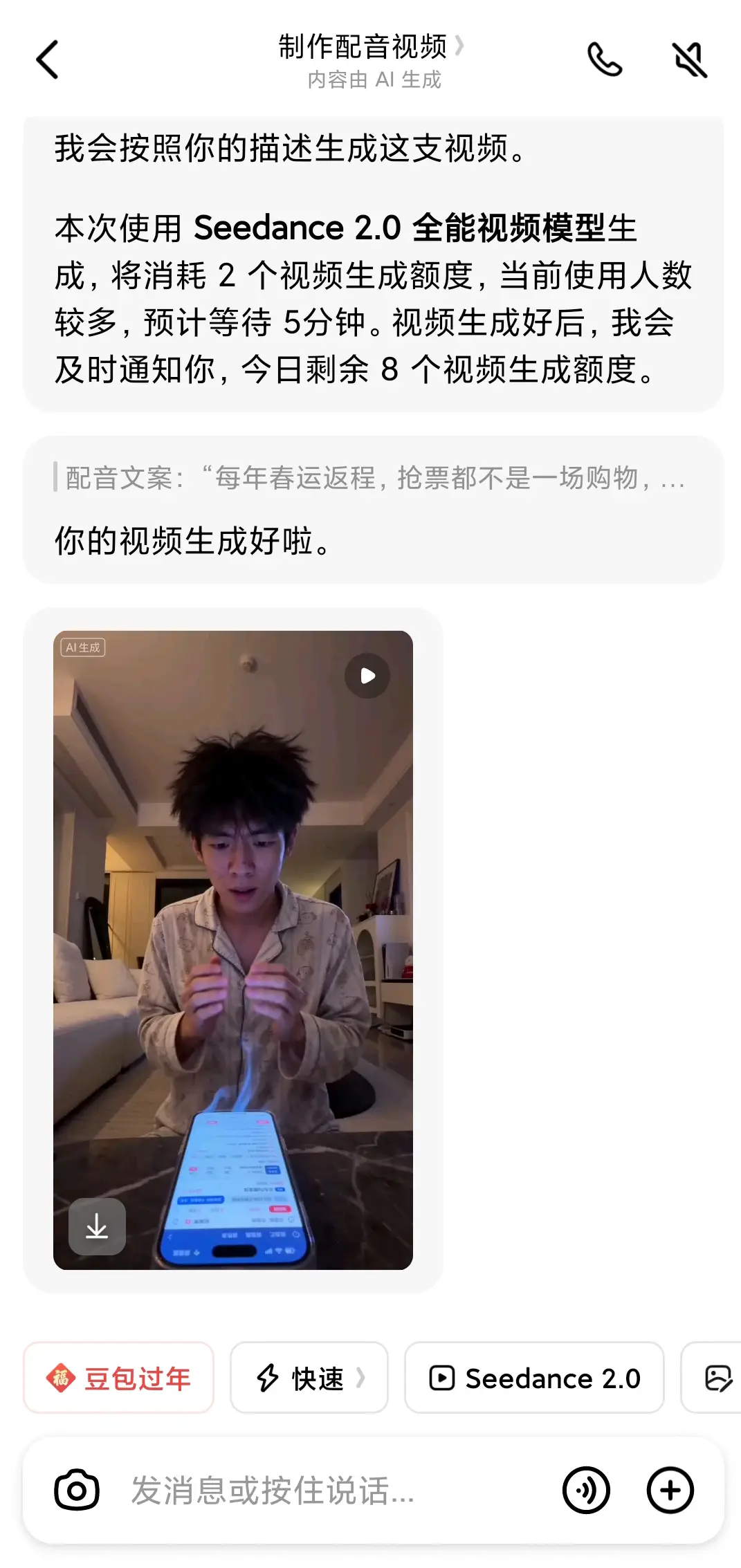
For videos generated on platforms like "Doubao", using the mobile app usually forces you to save watermarked versions and doesn't offer a clean download button. Here is when we use the underlying logic of "Browser Media Sniffing".
Standard Mobile Extraction:
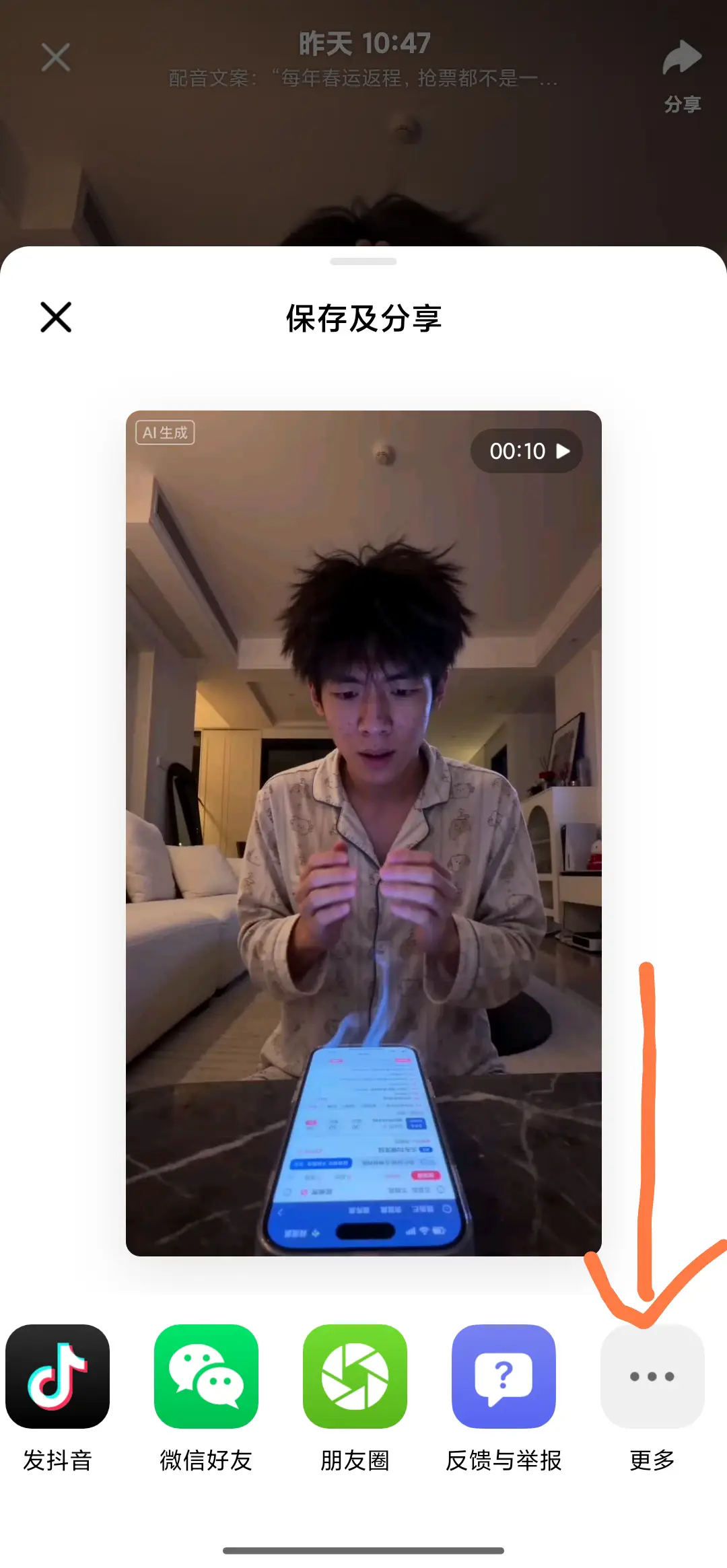
- Generate & Share: Once you generate a video in Doubao, click the share arrow in the top right.
- Open via External Browser: Do not copy it just to WeChat. Go to "More" and use your phone's default browser (like Edge, Quark, etc.) to open the link.
- Long-Press Extraction: On some browser players, simply long-pressing the center of the video will summon a native "Save Video" dialog. This downloaded file is highly likely the raw, un-watermarked version directly from the server.
Unbeatable Third-Party Alternatives
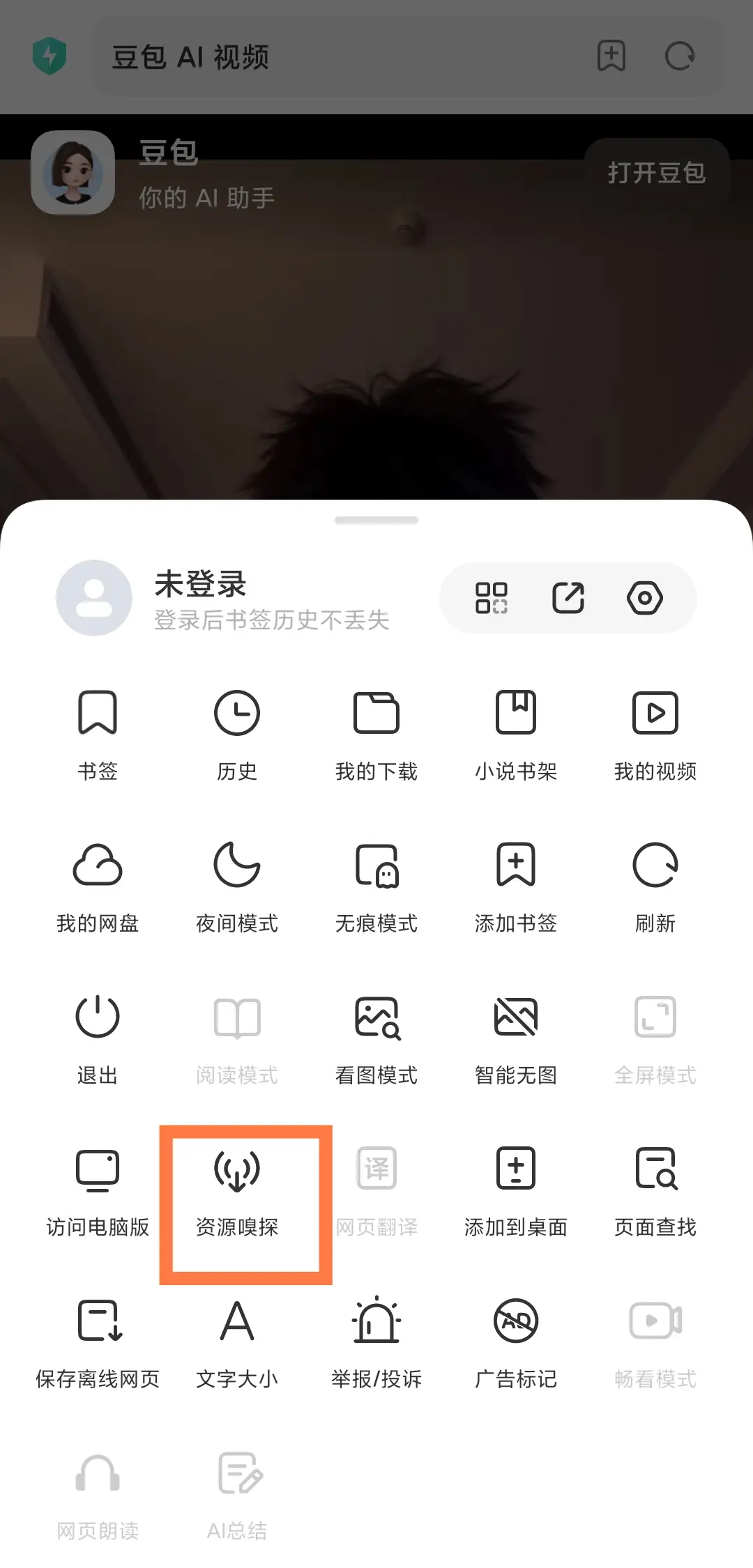
If the native browser long-press fails, try specialized Chinese browsers with potent media sniffing features:
- Xiaomi Default Browser: Look for the "Sniffing Feature" (嗅探功能) prompt at the top/bottom. It seamlessly strips the media file from the site cache, letting you download the watermark-free video.
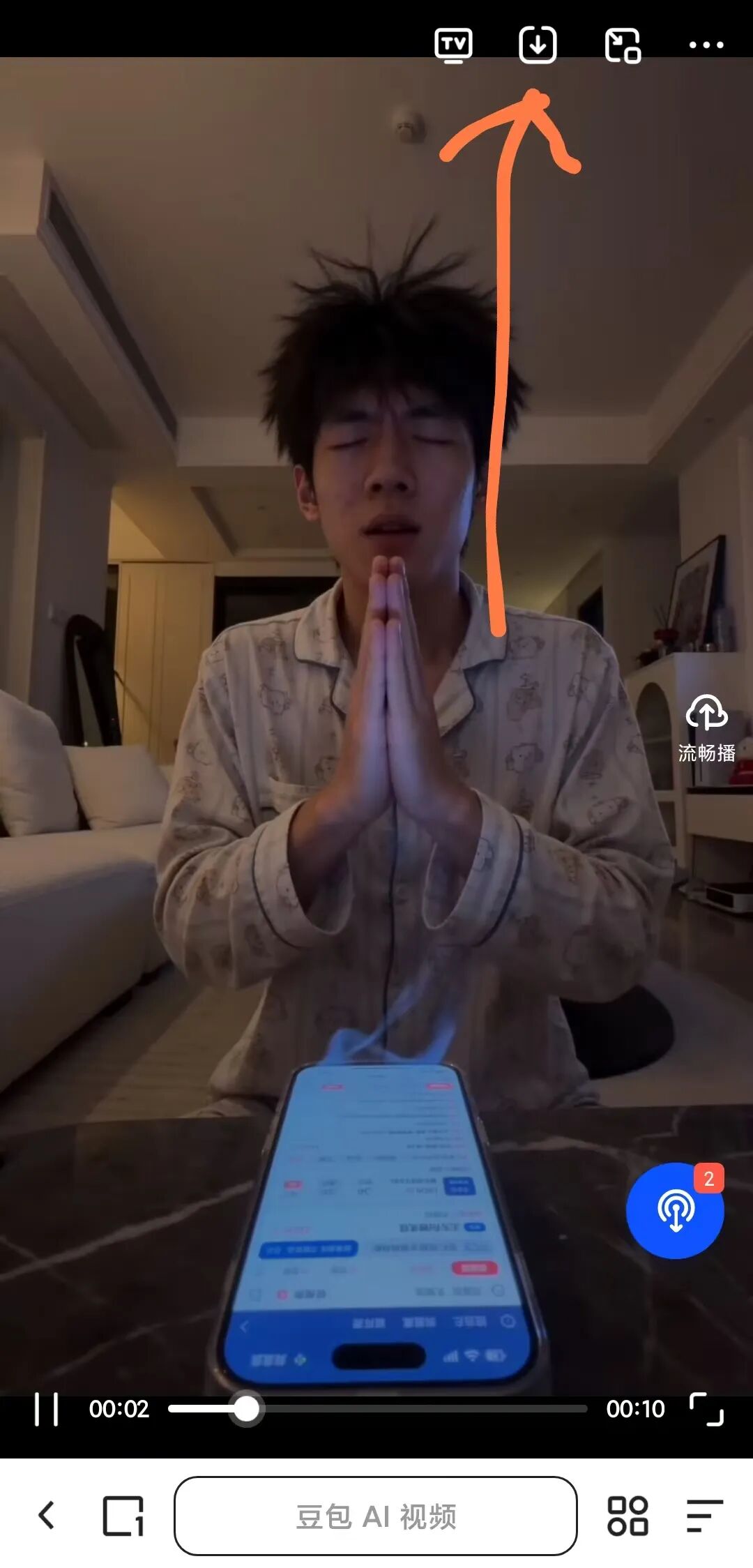
- Quark Browser: If you hit play in Quark, a blue Media Download Icon usually pops up on the side or bottom. Tap it to directly steal the raw file!
What If All Else Fails?
If you're on a PC and want a permanent fix, you can always search for various WeChat Mini-Programs like "Watermark Dog" (水印狗) that analyze social media links. However, I'd still strongly suggest trying the completely free methods mentioned above first!
That wraps up today's secrets on handling generative AI video trails. Hope you can all utilize these pristine video elements to boost your traffic! Follow my site for more exclusive cross-border AI techniques!